
What does original quality mean here?
The file Instagram published, with the pixel size we were given.
We save the published file. Published 19 November 2026.
By the SnapInstaDL Team. Published 19 November 2026.
Creators upload different sizes. Instagram also stores more than one rendition and may hand the fetch a particular one. A narrower file means that is what was returned. Saving it again does not invent pixels. An editor can scale the picture up later, and it will look soft.
A photo is the image file from the post, not a screenshot of your phone. Carousel slides are separate images. Each can have its own size. Save the slide you want, or pack a small carousel into a ZIP.
A cover image is offered only when the lookup returns one on a host we are allowed to fetch. If there is no cover, there is no second button pretending to be a thumbnail.
The master file, if it exists, is in the creator’s camera roll or editor, not in a public link. Ask them for the original. The downloader cannot see unpublished exports.
Why quality varies and the home page.
A card that says 720×1280 is a vertical video 720 pixels wide. A card that says 1080×1920 is wider and usually sharper on a large screen. Neither number is a promise about the camera that shot it. A 4K phone can still upload a 720-wide file if the export was set that way. We print
the numbers we were given and nothing else. If the line is missing, the provider did not send a size, and we leave it blank rather than invent 1080.
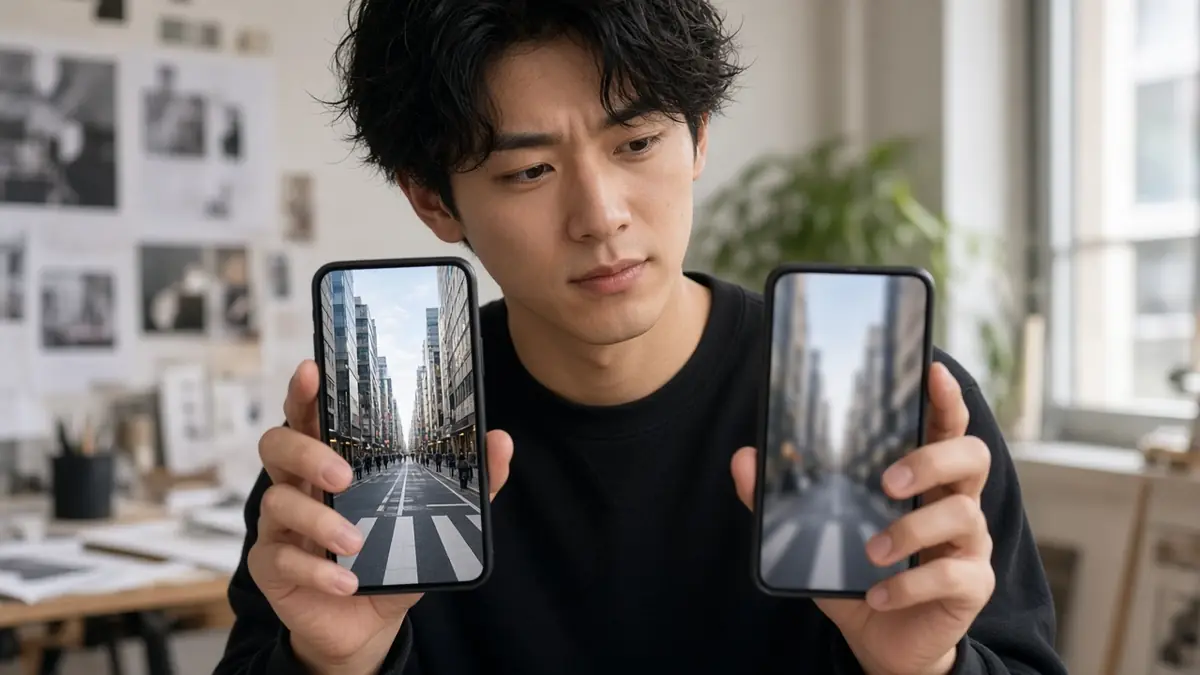
The photo you save is the image from the post. A screenshot of your screen includes the Instagram buttons, the clock, and a second layer of compression. Use the downloader when you want the image file. Use a screenshot only when you want to remember the surrounding interface. For your own photos, the camera roll
is still the highest copy. The public post is whatever was uploaded.
Save the carousel slide that looks right rather than saving all of them and hoping one is secretly larger. They can differ. The ZIP does not upscale. It only packs the files you already saw. If a client asks for “the 4K”, tell them the public file’s pixel size. Offer to take the master from
the editor. That is the honest answer, and it is the only one this site can support.
Read the pixel line before you argue with a client or with yourself. A card that shows 720 by 1280 is a vertical video 720 pixels across. A card that shows 1080 by 1920 is larger. Those numbers are the file we were given. They are not a menu. There is no 2K and no
4K button, because printing those words on a smaller file would be a lie. If the line is absent, the provider did not send a size and we leave it blank. A phone that can shoot 4K can still upload a 720-wide file. The export setting at upload time is what the public link can
ever return. Saving twice does not negotiate a bigger master. Compare the two files if you are unsure. They should match. A tool that labels the second copy 4K is renaming the same pixels. We will not do that. Photos are the image from the post, not a screenshot of the app. A screenshot includes
buttons and a second compression. Use the downloader for the image file. Use a screenshot only when you want the surrounding screen. For your own pictures, the camera roll is still the highest copy. Carousel slides can differ in size. Save the slide you mean, or pack a small set. The ZIP does not upscale.
When someone asks for the 4K, tell them the public pixel size and ask for the editor’s export. That is the only honest answer this site can support. Covers appear only when a cover was returned on an allowlisted host. A missing cover button is not a missing video. Play the MP4. The soundtrack is
not a quality tier. It is either in the file or it is not. Related reading is the shorter note on why quality varies, linked from this article.
Do a small experiment with a public post you made. Note the pixel line. Save the file. Open it in a player that shows resolution. The numbers should agree. Crop or scale it in an editor if you must, and watch the picture soften when you scale up. That softness is the proof that the
pixels were never there. A second download will not sharpen it. If the line was missing, the player may still report a size. Trust the player for that one file, and trust the card the next time the provider sends numbers. Do not average them into a fake label. Photos deserve the same test. Open
the saved image and the post side by side. The saved image should not include the like button. If it does, you saved a screenshot. Delete it and use the card. Carousel slides can disagree with each other. Write the sizes down if a client is picky. The ZIP is a container, not a filter.
Covers are optional. A missing cover is not a quality defect. Sound is not a resolution. A sharp silent file and a softer file with music are both “the published file” in their own posts. Say that plainly when someone asks which quality setting to pick. The setting is on the upload, months before they
met this page. The home page will not grow a 4K switch. Related notes on the blog say the same thing in fewer words if you need to send a colleague a link.
Close the experiment with a note you can reuse. Write the pixel size, the file size, and whether the sound was present. Store the note next to the MP4. The next time someone asks for a larger export, show them the note instead of re-downloading. The numbers will not improve. If you later receive the
editor’s master, keep it beside the public file and label which is which. The public file is what followers saw. The master is what the camera or the timeline had. SnapInstaDL only ever sees the public file. A cover image, when the card offers one, is a still, not a higher bitrate video. Do not
upscale the still and call it a frame from a 4K timeline. Related pages say this in shorter form. Send those links when a colleague needs the policy and this article when they need the experiment.
The file Instagram published, with the pixel size we were given.
No. Both saves are the same public file.
Cookies remember this choice.